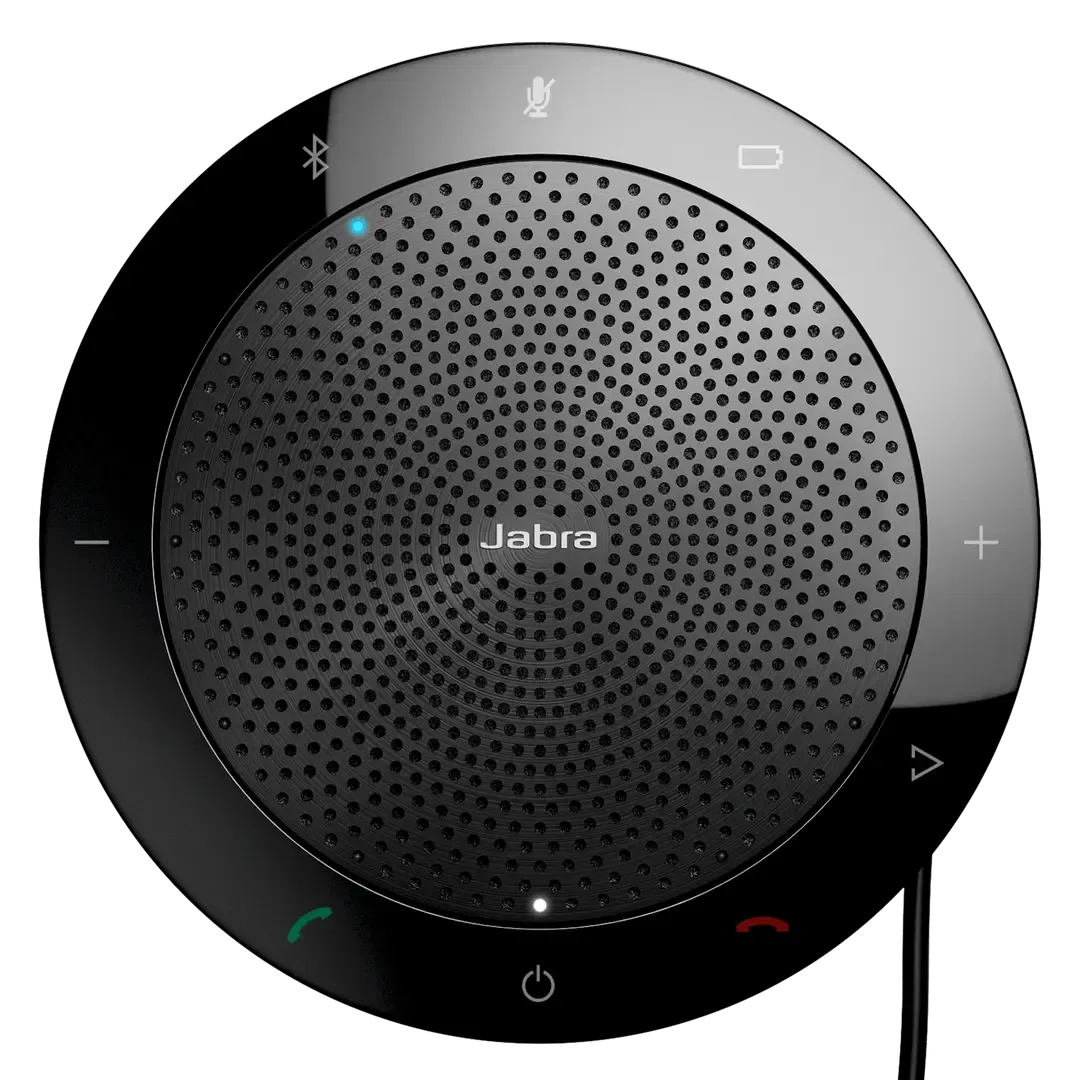
Jabra Speak 510+ MS
newMicrosoft Teams / Skype for Business certified Speak 510+ speakerphone, same hardware as UC, with Teams plug-and-play call control.
- Microsoft Teams / Skype for Business certified
- Crystal-clear mic
- 360-degree voice pick-up
- Compact design
List Price
From ₹24,505+ GST
Sign in to see your price
Usually ships in 5-7 business days · confirmed on your orderFree standard shipping across India
Buying in volume, or rather not register? Post a requirement instead · WhatsApp us
Equipping multiple users? Post the rollout as a requirement. Hybrid desk & UC →
Details
Overview
Jabra Speak 510+ MS (SKU 7510-309) is the Microsoft-certified variant of the Speak 510+ portable speakerphone. It uses the same hardware as Speak 510+ UC, 360° mic, clear conference audio, USB/Bluetooth and the included Link dongle, and adds Microsoft Teams and Skype for Business certification with plug-and-play call controls (answer, end, volume and mute). Choose this SKU when your organisation standardises on Teams. Choose Speak 510+ UC for Zoom, Webex and other open UC platforms.
Same portable Speak 510+ conference audio as the UC model. Choose MS when you need Microsoft Teams and Skype for Business certified call control.
- Microsoft Teams / Skype for Business certified
- MS variant supports plug-and-play call control — answer, end, volume and mute — in Microsoft Teams and Skype for Business environments.
- Crystal-clear mic
- Quality conversations for more efficient meetings, so remote and in-room participants can hear each other clearly.
- 360-degree voice pick-up
- Omnidirectional microphone coverage helps make sure everyone around the table is heard.
- Compact design
- Hold meetings wherever you go with a portable speakerphone built for desks, huddles and travel.
- Seamless connectivity
- Plug-and-play USB or Bluetooth setup, with the Link Bluetooth dongle included in the Speak 510+ package.
- Voice assistant
- Your digital assistant is just one tap away for hands-free help during the workday.
Specifications14 details
- SKU
- 7510-309
- Variant
- MS · Microsoft Teams / Skype for Business
- Best for
- Microsoft Teams · Skype for Business certified call control
- Form factor
- Portable speakerphone · up to 4 people
- Microphone
- Omnidirectional · 360° voice pick-up
- Connectivity
- USB · Bluetooth 3.0 · Link dongle included
- Bluetooth profiles
- A2DP v1.2 · Hands Free Profile v1.6 · Headset Profile v1.2 · AGHFP v1.6
- Wireless range
- Up to 30 m / 100 ft
- Talk time
- Up to 15 hours
- Standby time
- Over 200 days with automatic power off
- Charging time
- Approximately 2 hours
- Weight
- 195 g / 6.88 oz
- Certifications
- Microsoft Teams · Skype for Business (MS plug-and-play call control)
- Box contents
- Jabra Speak 510 · pouch · Jabra Link Bluetooth dongle · Quick Start Guide · warranty and warning leaflets
Datasheets & downloads2
FAQs6
- What is the difference between Speak 510+ UC and Speak 510+ MS?
- Hardware, audio, battery and the included Link dongle are the same. Speak 510+ MS (SKU 7510-309) is certified for Microsoft Teams and Skype for Business with plug-and-play call controls. Speak 510+ UC (SKU 7510-409) is the open UC variant for Zoom, Webex, Google Meet and other softphones when you do not need Teams-certified call control.
- How do I manually update the firmware on my Jabra device using Jabra Direct?
- Turn on and connect your device to your computer using the USB cable, Jabra Link Bluetooth adapter, or Jabra Link DECT adapter. In Jabra Direct, select your device. If a firmware update is available, this will be indicated by an Update now button.
- How do I pair my Jabra Speak 510 with a mobile device?
- Press and hold the Bluetooth button for 2 seconds. Turn on Bluetooth on your mobile phone, then select Jabra Speak 510. Enter 0000 if asked for a PIN. To pair with a Bluetooth headset, press and hold the Bluetooth button for 8 seconds until it flashes green, put the headset in pairing mode, then complete pairing.
- How many Bluetooth devices can I pair with my Jabra device?
- On Multiuse-capable Jabra devices, up to 8 paired devices are remembered; pairing a 9th replaces the oldest. Up to 2 devices can connect simultaneously, and 1 paired device can play audio at the same time.
- Can I reset the Jabra Speak 510 to the factory settings?
- The Jabra Speak 510 does not offer a complete factory reset. Use the latest version of Jabra Direct to change device settings.
- How do I set my Jabra device as the default audio device on my Windows computer?
- Open Sound settings on your computer. In the Output and Input sections, select your Jabra device from the drop-down lists. For a wireless Jabra device, select the connected Bluetooth adapter such as the Jabra Link 380.
Continue shopping
Related products
More speakerphones options from Jabra.